New office? We set up the technology for you.
Hardware, networking and software provisioned and installed before your team walks in, for new offices, expansions and relocations across Gauteng.
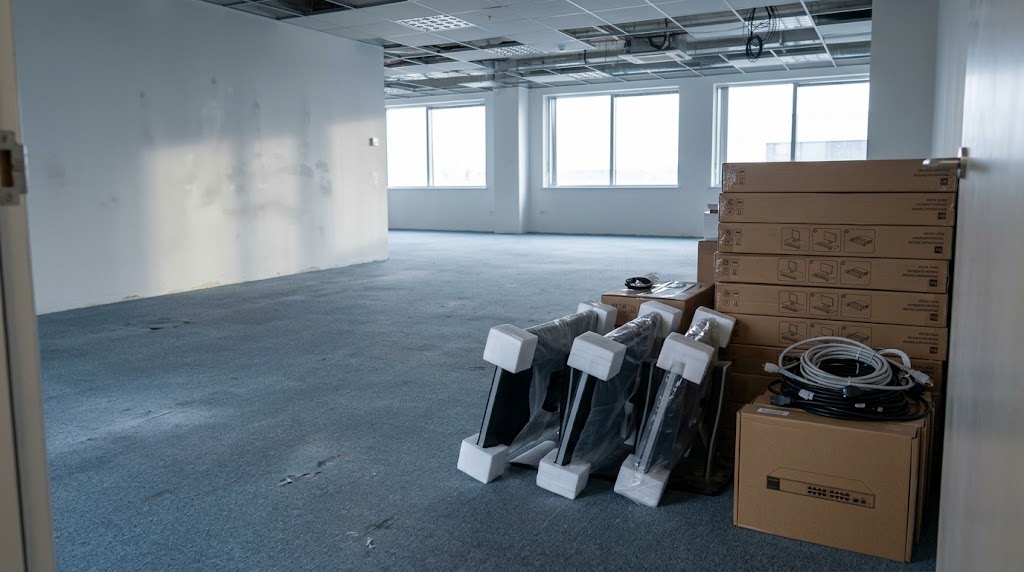
The wrong first week is the expensive one.
New offices get derailed by the same small things: no WiFi coverage, unconfigured laptops, email that points at the wrong server, a printer nobody can talk to. A proper setup phase turns move-in day into a working day instead of a support backlog.
What's covered
The pieces that make an office actually usable on day one.
Hardware Provisioning
Laptops, desktops, monitors and peripherals selected to fit the role: configured, labelled and ready before the team arrives. Right-sized to the job, so nobody's waiting on a machine that can't run their tools.
Networking & WiFi
Routers, switches, access points and wired drops planned for the space: so connectivity is a given, not a first-week fire. Coverage is designed around where people actually sit, not where the fibre enters.
Software & Accounts
Email, productivity suites, line-of-business apps and security set up properly: permissions, policies and passwords handled. Devices are joined to your domain or business accounts with consistent, safe defaults from day one.
User Onboarding
Each staff member's devices logged in, tested and explained: with a support path they actually know how to use. The goal is a team that starts working, not a helpdesk queue on week one.
What an office setup actually involves
Beyond "buy a few computers", the full set of decisions that make an office usable.
Computers & user devices
Laptops and desktops matched to each role, not a one-size-fits-all purchase. Whether your team runs accounting packages, design software or standard office tools, the machine needs to fit the job, and we spec it that way instead of selling the same box to everyone.
Browse laptops & PCsPrinters, monitors & peripherals
The shared office kit (printers, screens, docking stations and accessories) selected for the space and connected so they just work. The shared printer that "nobody can talk to" is a setup problem, not a hardware problem.
Browse office techConnectivity & internet
The network plan comes before the hardware. Routers, switches and access points placed for real coverage, so day one isn't spent chasing a WiFi signal. If the layout needs wired drops for desks or cameras, that's planned in too.
Browse networkingPower & backup
For South African offices, load shedding planning is part of the setup. UPS and backup power for the equipment your business can't afford to switch off: sized so the network and key machines stay up through the stages.
Browse backup powerStart work on day one
Everything is provisioned and tested ahead of move-in, so the team plugs in and gets on with the job. First-morning issues are caught before they become first-week delays.
One team, one rollout
Hardware, networking and software from a single supplier: no juggling separate vendors or timelines. If something isn't right, there's one number to call.
Built for how you work
The setup is scoped around your headcount, roles and space: not a generic "starter office" kit. You pay for what the office needs, not a pre-packaged bundle.
How it works
Scope the Space
We map headcount, roles, floor plan and budget to plan the hardware, network and software list. You get a fixed project quote before anything is ordered.
Provision & Configure
Equipment is sourced, built, imaged and tested before it ever reaches the office.
Install & Hand Over
We install on site, onboard each user and leave you with a clear runbook and support path.
Project-based pricing
A full office setup is quoted as a fixed project, scoped from your headcount and space before anything is ordered. Hardware, networking and cabling are itemised separately. You know the total before we start.
IT Procurement
Laptops, desktops and networking sourced, compared and negotiated on your behalf.
Network Support
WiFi and office networks designed and installed to just work from the start.
Business IT setup questions
Do we need to buy the hardware through you?
No. We can source and procure on your behalf through our procurement service, or provision equipment you already own, the setup process is the same.
What does a full office setup cost?
It's a project-based quote: scoped from your headcount, floor plan and needs, and fixed before we start. There are no hourly surprises or hidden fees once the scope is agreed.
How far ahead should we book?
The earlier the better: ideally a few weeks before move-in so equipment can be sourced and tested. Even for a tight timeline, we can usually turn around a standard small-office setup in days.
How long does a full office setup take?
It depends on headcount and whether networking needs cabling work. We scope a timeline up front based on your space and rollout date.
What if we have existing equipment?
We work with it. Existing devices get assessed, brought up to standard where it makes sense, and integrated with the new setup.